
The Complete Guide to Best Smart Thermostat Settings for Summer Savings

Why Finding the Best Smart Thermostat Settings for Summer Savings Matters More Than You Think
Finding the best smart thermostat settings for summer savings is one of the highest-impact changes you can make as a homeowner — and it takes less effort than you might expect.
Quick answer: The best smart thermostat settings for summer are:
| Situation | Recommended Setting |
|---|---|
| Home and awake | 78°F |
| Sleeping | 75–78°F |
| Away (work, errands) | 82–85°F |
| Extended vacation | 85–88°F |
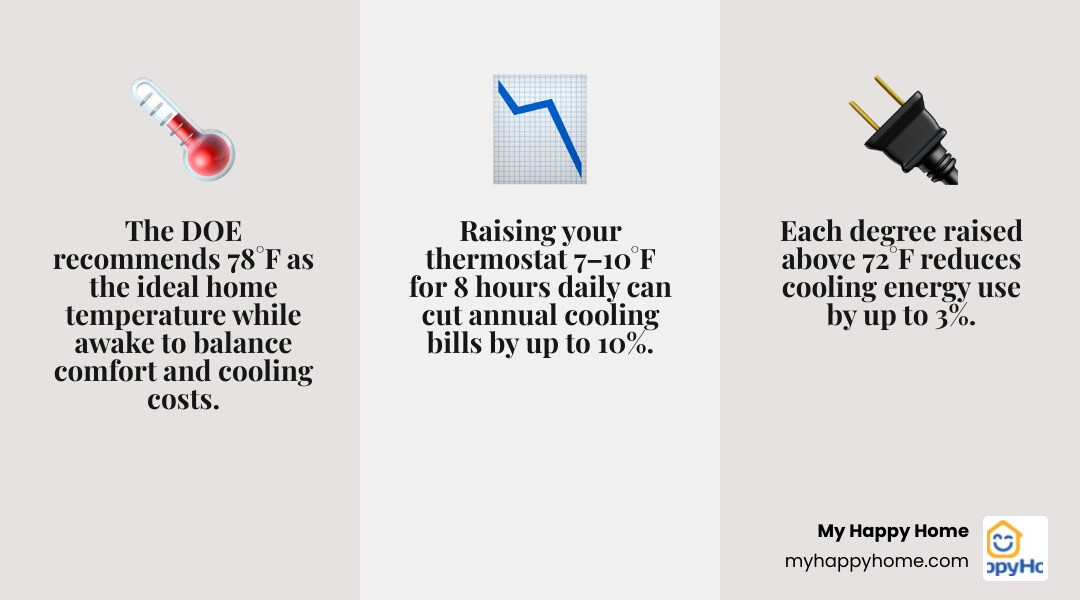
- Each degree you raise above 72°F saves up to 3% on cooling costs.
- Raising your thermostat 7–10°F for 8 hours a day can cut annual cooling and heating bills by up to 10%.
- Smart thermostats can reduce cooling costs by 10–20% through automated scheduling and geofencing.
Heating and cooling account for nearly half of a typical home's total energy use. During summer, that number climbs even higher — and for busy families already juggling work, kids, and daily routines, a high electricity bill is the last thing anyone needs. The good news is that your smart thermostat is one of the most powerful tools you have to take back control. Most homeowners are simply not using it to its full potential.
Whether your home runs warm, you have young kids napping in the afternoon, or you are gone most of the day, there is a smarter way to cool your home — one that keeps everyone comfortable without running your system (and your bill) harder than necessary.
I'm Matthew Palmieri, founder of My Happy Home and a home services professional with hands-on experience in HVAC systems and smart home technology. Helping homeowners get the most out of their systems — including dialing in the best smart thermostat settings for summer savings — is exactly the kind of practical guidance I've built my career around. In the sections ahead, we'll walk through every setting, strategy, and habit that makes a real difference.
What Are the Best Smart Thermostat Settings for Summer Savings When You Are Home?
When we are home and active during the day, the U.S. Department of Energy recommends setting the thermostat to 78°F (25–26°C). While this temperature might sound a bit warm at first glance — especially if you are used to keeping your home at a chilly 71°F or 72°F — it represents the sweet spot where comfort meets energy efficiency.
The physics behind this recommendation is surprisingly simple: the closer your indoor temperature is to the outdoor temperature, the slower heat will enter your home. When you maintain a wider temperature gap (for example, keeping it 70°F inside when it is 95°F outside in O'Fallon, MO), your home acts like a sponge, rapidly absorbing outdoor heat. This forces your air conditioner to run longer, more frequent cycles to keep up.
By raising the thermostat to 78°F, you slow down this heat gain. Because each degree you set your thermostat above 72°F can save you up to 3% on your monthly cooling costs, making this shift can yield immediate, noticeable relief on your next utility bill.
Of course, setting the thermostat is only half the battle. To maximize these savings without sacrificing your comfort, you can implement a few Summer AC Energy Saving Tips for Homeowners to make your living spaces naturally feel cooler.
How to Program the Best Smart Thermostat Settings for Summer Savings While Sleeping
When it is time to wind down, our bodies naturally need a cooler environment to initiate and maintain deep sleep. While the Department of Energy technically suggests keeping the thermostat at 82°F to 84°F at night, most people find this range highly unrealistic and disruptive to sleep quality.
Instead, a more practical target for nighttime comfort and budget-conscious cooling is 75°F to 78°F. Because outdoor temperatures drop overnight, your air conditioner does not have to work nearly as hard to maintain a cooler indoor temperature as it does during the blazing afternoon heat.
With a smart thermostat, you can automate this transition seamlessly. You can program a "Sleep" schedule that begins lowering the temperature by two or three degrees about 30 minutes before you head to bed. Then, program the system to raise the temperature back to your daytime baseline of 78°F right around the time your morning alarm goes off. This prevents your AC from running unnecessarily during the early morning hours when you are already awake and moving.
How to Transition Gradual Adjustments If 78°F Feels Too Warm
If you are currently accustomed to keeping your home at 72°F, jumping straight to 78°F can feel like a shock to the system. The secret to success is temperature acclimation through gradual, incremental adjustments.
Instead of making a drastic six-degree leap overnight, try raising your thermostat by just one degree at a time. Set it to 73°F for two or three days, then bump it to 74°F. Your body will naturally adjust to these minor changes without you even noticing. Within a couple of weeks, you will find that 77°F or 78°F feels perfectly comfortable, especially when combined with lightweight summer clothing and proper hydration.
How to Adjust Your Thermostat When Away to Maximize Savings Without Mold Risks
One of the biggest opportunities to save money occurs when your home is empty. Whether you are heading to the office for eight hours or running weekend errands, leaving your AC running at its "occupied" setting is a major waste of energy.
For daily away periods, we recommend setting your smart thermostat to 82°F to 85°F. According to the Department of Energy, adjusting your thermostat by 7°F to 10°F from its normal setting for at least eight hours a day can cut your annual heating and cooling costs by up to 10%.
However, you should avoid turning your air conditioner completely off when you leave. While it might seem like turning the system off would save the most money, doing so allows your home to "heat-soak." During a hot Missouri summer day, your walls, furniture, floors, and drywall will absorb massive amounts of heat. When you return home and turn the AC back on, the system has to run at peak capacity for several hours just to remove the stored heat from these physical materials.
Furthermore, your air conditioner plays a vital role in controlling indoor humidity. If you turn the system completely off, indoor humidity can quickly soar past 60%, creating the perfect breeding ground for mold, mildew, and dust mites. Keeping your away setting at a maximum of 85°F ensures the AC will still cycle occasionally to pull moisture out of the air, protecting your home's structure and your family's health.
Understanding these dynamics highlights the incredible Smart Thermostat Benefits for AC Efficiency, as these intelligent devices handle these calculations and adjustments automatically.
Setting Up Vacation Mode for Extended Summer Absences
When you are leaving for a week-long vacation, your thermostat strategy should shift slightly to maximize savings while still protecting your home. Most smart thermostats feature a dedicated "Vacation Mode" that overrides your daily schedule with a constant, energy-saving temperature.
- If you have pets staying behind: Keep the thermostat set no higher than 78°F to 80°F to ensure their safety and comfort.
- If you have indoor plants: Set the temperature to 82°F to 85°F and ensure they are well-watered before you leave.
- If the house will be completely empty: You can safely set the thermostat to 85°F.
Make sure your smart thermostat's humidity control features are enabled during this time. Many modern models allow you to set a maximum humidity threshold (such as 55%). If the indoor humidity exceeds this limit, the thermostat will run the air conditioner briefly to dehumidify the air, even if the temperature hasn't reached your maximum vacation setpoint.
Advanced Smart Thermostat Features That Drive Summer Efficiency
While programmable thermostats have been around for decades, smart thermostats represent a massive leap forward in both convenience and energy savings. By utilizing built-in algorithms, remote sensors, and internet connectivity, these devices take the guesswork out of managing your home's climate.
To see how these technologies compare, let's look at the differences in functionality:
| Feature | Manual Thermostats | Programmable Thermostats | Smart Thermostats |
|---|---|---|---|
| Control Method | Physical dial or buttons | Fixed on-device schedules | Smartphone app, voice assistants, and automation |
| Schedule Adjustments | Must be changed manually every time | Requires manual reprogramming on a small screen | Learns your routine automatically or adjusts via app |
| Location Awareness | None | None | Geofencing detects when you leave and return |
| Remote Access | No | No | Yes, from anywhere in the world |
| Energy Reporting | None | None | Monthly breakdowns and personalized savings tips |
| System Health Alerts | None | None | Reminders for filter changes and maintenance alerts |
Why Lacking a C-Wire Can Hurt Your Best Smart Thermostat Settings for Summer Savings
When installing a smart thermostat, one of the most critical technical details is the C-wire (Common wire). The C-wire provides a continuous stream of 24-volt power to your thermostat, allowing its Wi-Fi radio, color screen, and advanced processors to run smoothly.
Some smart thermostat models claim they can operate without a C-wire by "power stealing" or "power pulsing." When a thermostat steals power, it takes tiny sips of electricity from your HVAC system's control wiring when the heating or cooling is running. If the system is off for a long time, the thermostat may pulse your AC's compressor or fan briefly just to grab a charge.
This power-pulsing can cause your HVAC system to "short-cycle," which means turning on and off rapidly. Short-cycling places immense strain on your compressor and blower motor, leading to premature equipment wear, decreased efficiency, and potential system breakdowns during the hottest weeks of the summer. To protect your system's reliability, always ensure your smart thermostat is installed with a dedicated C-wire or a manufacturer-approved power adapter kit.
Leveraging Geofencing and Presence Detection
Geofencing is one of the most powerful automated features of a smart thermostat. By establishing a virtual boundary around your home using your smartphone's GPS, the thermostat can automatically detect when the last family member has departed and when the first one is heading back.
For the best results, we recommend setting your geofencing radius to 1 to 3 miles. If you live in a suburban area like O'Fallon, MO, a larger radius is often better. This gives your air conditioner enough time to lower the temperature from your "Away" setting (85°F) to your "Home" setting (78°F) before you actually walk through the front door.
Additionally, make sure to enable multi-user tracking if you have multiple family members with smartphones. This prevents the system from triggering "Away" mode and raising the temperature while someone is still home taking an afternoon nap.
Managing Humidity and Airflow for Maximum Comfort
In the Midwest, temperature is only half of the summer comfort equation; the other half is relative humidity. High humidity prevents our sweat from evaporating efficiently, which is our body's natural cooling mechanism. When the air is muggy, a room that is 78°F can easily feel like 84°F.
To maintain optimal comfort, we should aim for an indoor relative humidity level of 40% to 45% (and always under 50%). If you have a newer HVAC system with a variable-speed or multi-speed blower motor, your smart thermostat can communicate with it to run longer, slower cooling cycles. These extended cycles are incredibly effective at pulling moisture out of the air, allowing you to feel perfectly comfortable at higher temperature settings.

The Difference Between 'Auto' and 'On' Fan Settings
Your thermostat's fan setting has a massive impact on both your energy bills and your home's humidity levels. You should almost always keep your fan set to "Auto" rather than "On" during the summer.
- Auto Mode: The blower fan only runs when your air conditioner is actively cooling the air. Once the temperature setpoint is reached, both the compressor and the fan shut off.
- On Mode: The blower fan runs continuously, 24 hours a day, regardless of whether the AC is actively cooling.
Running the fan on "On" consumes a significant amount of electricity over the course of a month. More importantly, it ruins your air conditioner's ability to dehumidify. When your AC cycles off, the cooling coils inside your indoor unit are dripping wet with condensed water pulled from your home's air. If the fan keeps blowing, that air passes over the wet coils, re-evaporating all of that moisture and blowing it right back into your living spaces.
Using Ceiling Fans and Dehumidifiers to Feel Cooler
Ceiling fans are an incredibly cost-effective way to supplement your air conditioning. When running in their summer direction — counterclockwise — ceiling fan blades push air straight down, creating a pleasant "wind chill" effect on your skin.
It is important to remember that fans cool people, not rooms. A ceiling fan does not actually lower the temperature of the air; it simply speeds up the evaporation of moisture on your skin, making you feel up to 4 degrees cooler. Because of this, you can comfortably set your thermostat to 80°F while a ceiling fan is running, and it will feel like 76°F. Just be sure to turn the fan off when you leave the room to avoid wasting electricity.
If your home still feels muggy despite proper AC settings, installing a whole-home dehumidifier can make a world of difference. By removing gallons of moisture from the air daily, a dehumidifier allows you to raise your thermostat setpoint even higher while maintaining a crisp, comfortable indoor environment.
Complementary Habits and Maintenance to Boost Your Savings
While dialing in the best smart thermostat settings for summer savings is a fantastic start, your thermostat cannot do all the heavy lifting alone. Your home is a dynamic system, and simple daily habits can dramatically reduce the workload on your air conditioner.
- Block out solar heat gain: Close your blinds, shades, or drapes during the hottest parts of the day, particularly on south- and west-facing windows. This simple step can reduce solar heat gain by up to 33%.
- Time your appliance use: Large appliances like ovens, clothes dryers, and dishwashers generate massive amounts of heat and humidity. Try to run these appliances after 8:00 PM when outdoor temperatures are cooler and electricity rates may be lower.
- Seal air leaks: Use weatherstripping and caulk to seal gaps around windows, doors, and plumbing penetrations to keep hot, humid outdoor air from seeping inside.
To ensure your system is running at peak physical efficiency, scheduling professional care is essential. Learn How a Tune-Up Improves Efficiency and Lowers Bills to keep your cooling costs as low as possible.
Common Thermostat Mistakes to Avoid This Summer
Even with the best intentions, it is easy to fall into habits that actually drive up your energy bills and place unnecessary wear on your HVAC system.
- Cranking the thermostat way down: When you walk into a warm house, it is tempting to set the thermostat to 60°F in hopes of cooling the room faster. However, air conditioners do not work like a car accelerator; they run at the same speed regardless of the setting. Setting it to an extremely low temperature simply means the system will run longer, past your comfort point, wasting energy.
- Turning the system completely off: As mentioned earlier, turning the system off entirely during hot days leads to heat-soaking and high humidity, forcing your system to work twice as hard to recover later.
- Poor thermostat placement: If your thermostat is installed on an exterior wall, near a drafty window, in direct sunlight, or close to heat-generating appliances, it will read "ghost" temperatures. This causes your AC to run constantly or short-cycle. Thermostats should always be installed on an interior wall, roughly 52 to 60 inches above the floor, in a frequently used room.
The Critical Role of Regular AC Maintenance
An unmaintained air conditioning unit can easily consume 5% to 15% more energy than a clean, well-calibrated system. To keep your system running efficiently all summer long, make these maintenance tasks a priority:
- Change air filters regularly: Check your air filter every 30 days during the peak summer cooling season. A dirty, clogged filter restricts airflow, forcing your blower motor to work harder and potentially causing your cooling coils to freeze over. Replace them every 30 to 90 days.
- Clear the outdoor unit: Keep the area around your outdoor compressor unit clear of grass, weeds, leaves, and debris. Maintain at least two feet of clearance on all sides to ensure proper heat exchange.
- Schedule professional tune-ups: Having a licensed professional inspect, clean, and tune your system twice a year ensures everything is operating safely and efficiently.
Taking these proactive steps is the best way to protect your budget, as detailed in our guide on How Regular Maintenance Prevents Costly Home Repairs. Plus, maintaining a modern, high-efficiency system can even pay off down the road — discover the Energy Efficient AC and Home Value Connection for more insights.
Frequently Asked Questions About Summer Thermostat Settings
Does raising the thermostat 7 to 10 degrees really save 10% on cooling?
Yes. According to extensive research by the U.S. Department of Energy, adjusting your thermostat 7°F to 10°F from its normal setting for eight hours a day can save you up to 10% a year on heating and cooling bills. This is because the rate of heat loss or heat gain in your home is directly proportional to the temperature difference between the inside and outside of your house.
Is it better to leave the AC on all day or turn it off when away?
It is far better to use a "setback" temperature (raising the thermostat to 82°F–85°F) when you are away rather than turning the system off completely. Turning the system off allows your home's structural elements and furniture to absorb massive amounts of heat and moisture, which takes hours of continuous, high-strain AC operation to remove when you return.
What is the ideal indoor humidity level for summer comfort?
The ideal indoor relative humidity level during the summer is between 40% and 50%. Keeping your humidity within this range prevents mold growth, discourages dust mites, and allows your body's natural cooling mechanisms to work efficiently, making higher temperatures feel significantly cooler.
Conclusion
Finding the best smart thermostat settings for summer savings is an easy, highly effective way to lower your utility bills while keeping your home comfortable. By embracing a daytime baseline of 78°F, utilizing automated away settings, and managing your home's humidity, you can enjoy a cool, stress-free summer without the dread of a massive electricity bill.
At MyHappyHome, we believe homeownership should be simple, predictable, and worry-free. That is why we offer comprehensive home service membership plans that cover your HVAC, plumbing, electrical, and major household appliances under one affordable monthly subscription. With 24/7 customer support and a network of vetted, licensed professionals, we manage everything from seasonal tune-ups to emergency repairs.
Explore MyHappyHome HVAC services today to learn how our Deluxe Maintenance and Repair Plans can give you ultimate peace of mind and keep your home running perfectly all year round.

Get happy home tips delivered to your inbox.
Join the growing family of homeowners who have said goodbye to stress and hello to simple, worry-free living. With MyHappyHome, you're not just getting a service plan, you're getting a partner dedicated to your happiness.