
The homeowner's guide to troubleshooting thermostat glitches
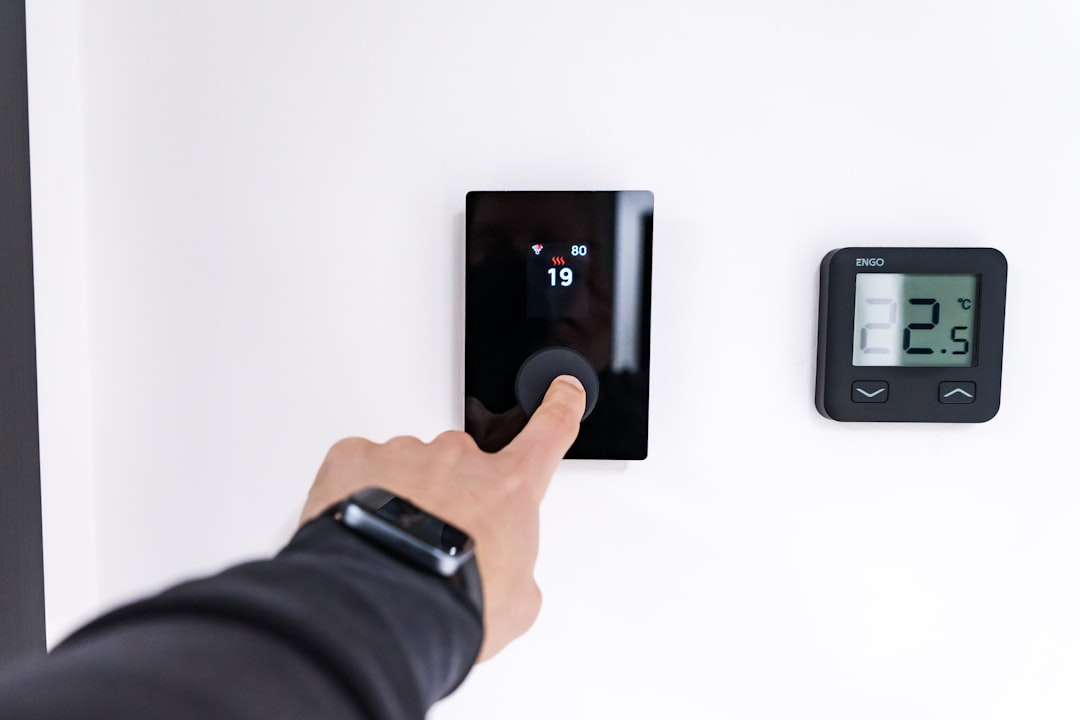
Is Your Thermostat the Real Culprit? Check This Before Calling for AC Repair
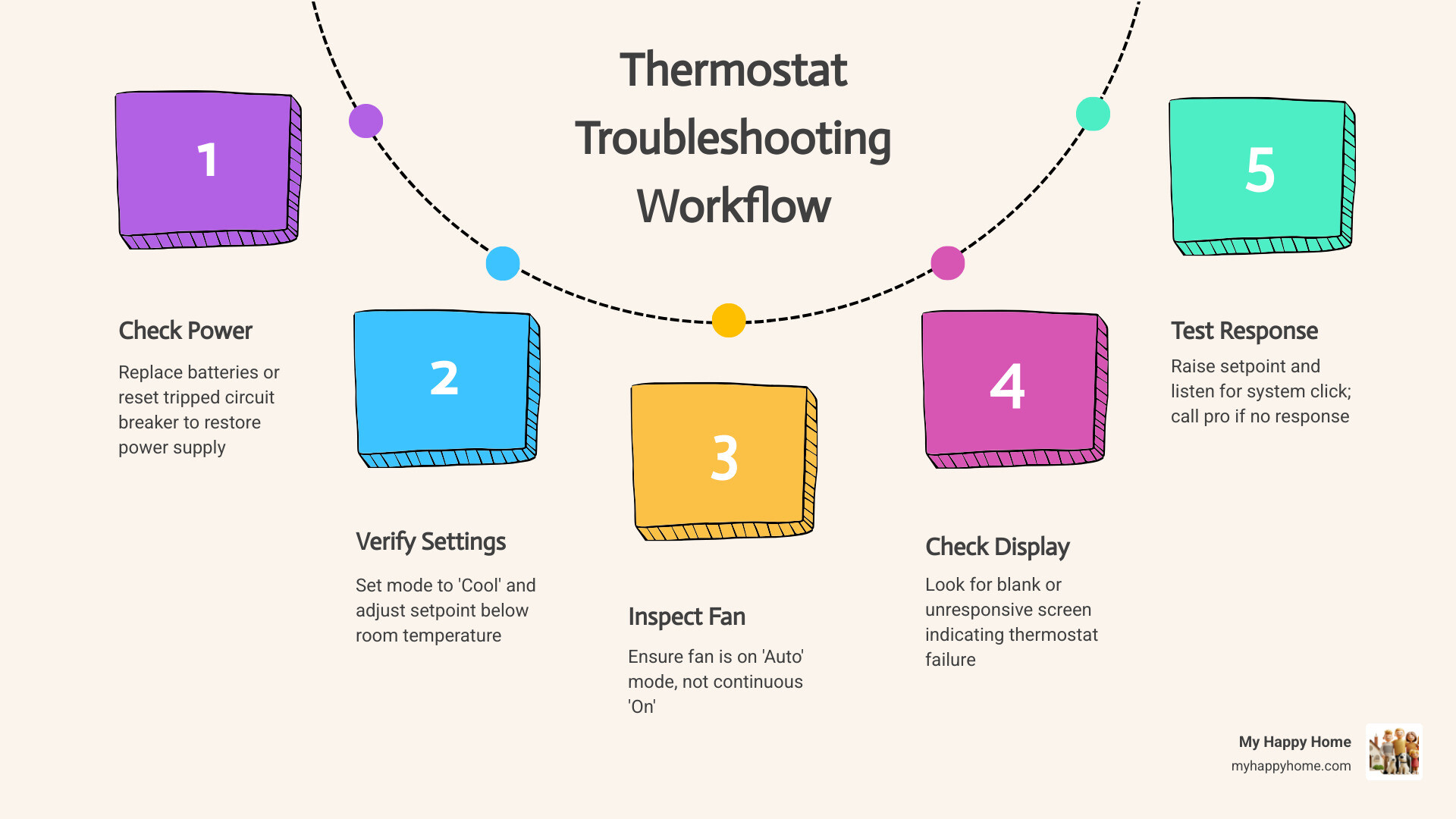
Knowing how to check your thermostat before calling for AC repair can save you time, stress, and an unnecessary service visit. Before assuming your AC unit has a serious problem, run through these quick checks first:
- Check the power - Replace batteries or look for a tripped circuit breaker
- Verify the settings - Confirm the mode is set to "Cool" and the setpoint is below room temperature
- Check the fan setting - Make sure it's on "Auto," not just "On"
- Inspect the display - A blank screen often points to a thermostat issue, not an AC failure
- Clean the thermostat - Dust on sensors can cause inaccurate readings
- Listen for a response - Raise the setpoint and listen for the system to click on
If these steps resolve the issue, your AC is likely fine.
Your thermostat is the control center of your entire home comfort system. When it works correctly, it reads the room temperature and tells your heating and cooling equipment exactly what to do. But when something goes wrong - whether it's dead batteries, a dusty sensor, or a wiring hiccup - the thermostat can make a perfectly healthy AC system look broken.
The frustrating part? A faulty thermostat and a broken AC can look almost identical from the outside. Your home won't cool down either way. That's why checking the thermostat first is always the smart move. It's quick, it's safe for most homeowners to do, and it could spare you from an unnecessary repair call.
In this guide, we'll walk you through every check - from the simple stuff like battery replacement to more advanced tests like the jumper wire bypass - so you know exactly what you're dealing with before picking up the phone.
Identifying Thermostat Malfunctions vs. AC Failure
When the temperature in your home starts to rise, it’s easy to panic and assume you need an AC Repair Service. However, the problem often lies with the "brain" of the operation rather than the "muscles." A blank display is one of the most obvious signs of a thermostat issue. If the screen is completely dark, it cannot send the necessary signals to your air handler or compressor.
Other signs of a malfunctioning control hub include erratic temperature swings or a system that simply won't respond to your inputs. If you set the temperature to 72°F but the display insists it is 80°F (while you’re shivering), you likely have a sensor drift issue. Before you browse our full list of Services, take a moment to observe how the unit is behaving. Is it ignoring your commands, or is it trying to work but failing?
Signs of a Faulty Control Hub
Thermostat sensors are delicate. Over time, they can lose their calibration, meaning they no longer accurately read the ambient air temperature. This "drift" can cause your HVAC system to run at odd times or stop before the house is actually cool. Another red flag is when a programmable or smart thermostat consistently "forgets" its schedule. If you have to re-enter your settings every few days, the internal memory or power supply is likely failing.
When Short Cycling Points to the Thermostat
Short cycling occurs when your AC turns on and off frequently, often running for only two to five minutes at a time. While this can sometimes be caused by a dirty air filter, it is often a thermostat issue. If the temperature differential—the "swing" between when the system kicks on and off—is set too narrow, the thermostat will trigger the AC for every tiny fluctuation in temperature. If you're wondering why your unit is acting up, checking this setting is a great first step, much like the tips found in our Blog: AC Not Turning On - What to Check First.
How to Check Your Thermostat Before Calling for AC Repair
Before you reach for the phone, let's go through the basics. Many "broken" AC units are actually just victims of a tripped breaker or dead batteries. Safety is paramount, so if you ever feel uncomfortable opening a panel or looking at wiring, it’s time to call in the pros for an AC Maintenance Tune-Up.
FeatureMechanical ThermostatDigital/Smart ThermostatPower SourceSystem wires (usually)Batteries or C-wireCommon FixLeveling & DustingBattery ReplacementTesting MethodManual Lever MovementSystem Test MenuDisplayNone (Needle/Coil)LCD/LED Screen
How to Check Your Thermostat Before Calling for AC Repair Power Settings
The most common culprit for a blank screen is dead batteries. Most digital thermostats require AA or AAA alkaline batteries, or sometimes lithium cells. Even if the screen isn't blank, low batteries can cause weak signals that don't reach the AC unit.
If the batteries are fresh and the screen is still dark, check your electrical panel. Look for a tripped breaker labeled "HVAC," "Furnace," or "Air Handler." The thermostat often gets its power from the indoor unit, so if that breaker flips, the thermostat dies too. Also, check the physical "kill switch" (it looks like a light switch) near your furnace or indoor air handler to ensure it hasn't been accidentally toggled off.
Verifying System Mode and Fan Configuration
It sounds simple, but we see it often: the thermostat was accidentally bumped into "Heat" mode or "Fan Only" mode. Ensure the system is firmly set to "Cool."
Next, check the fan setting. If it's set to "On," the fan will blow air continuously, even when the AC isn't actually cooling. This can lead to higher humidity and the feeling that the AC isn't working. Switching it to "Auto" ensures the fan only runs when the cooling cycles are active. If you're in a hot climate, like our members who need AC Repair Service Houston TX, these small setting errors can make a massive difference in your comfort.
Advanced Diagnostic Tests for Homeowners
If the basic power checks don't work, you can dig a little deeper if you feel handy. This involves looking at the low-voltage wiring behind the thermostat faceplate. In cities with extreme heat, like those served by AC Repair Service Phoenix AZ, thermostats work overtime, which can sometimes lead to corroded or loose wire connections.
The Jumper Wire Bypass Test
This is the "gold standard" for confirming a bad thermostat. By bypassing the thermostat, you are manually telling the AC to turn on.
- Turn off the power to your HVAC system at the breaker.
- Remove the thermostat faceplate to expose the wires.
- Take a photo of the wiring for reference.
- Locate the R (Power) and Y (Cooling) terminals.
- Use a small piece of insulated wire (a "jumper") to connect the R and Y terminals.
- Turn the power back on.
If the AC compressor and fan kick on immediately, your thermostat is definitely the problem. If nothing happens, the issue lies deeper in the AC unit itself, and you may need AC Repair Service Orlando FL.
Using a Multimeter to Check Your Thermostat Before Calling for AC Repair
For a more precise test, a multimeter set to AC voltage can tell you if the thermostat is receiving and sending power. In a standard system, you should see approximately 24V AC between the R and C terminals. When the thermostat calls for cooling, you should also see 24V between the Y and C terminals. If you have power at R but nothing at Y when the unit is set to "Cool," the internal switch in the thermostat has failed. This is a common diagnostic step we perform for AC Repair Service Las Vegas NV customers where heat can wear out electronic components quickly.
Maintenance and Calibration for Long-Term Reliability
Prevention is better than a breakdown in the middle of July. Regular maintenance of your thermostat can extend its life and keep your energy bills in check. If you’re in a bustling area like those covered by AC Repair Service Atlanta GA, dust can accumulate faster than you think, interfering with sensitive electronics.
Cleaning Your Thermostat Internals
Dust is the enemy of accuracy. For older mechanical thermostats, a tiny bit of grime on the bimetallic coil can prevent it from expanding and contracting properly. For digital units, dust can insulate the sensors, making them think the room is warmer or cooler than it actually is.
- Step 1: Turn off the power.
- Step 2: Remove the cover.
- Step 3: Use a can of compressed air or a soft-bristled brush to gently whisk away debris.
- Step 4: For mechanical contact points, you can slide a crisp dollar bill or a piece of paper between them to rub off any oxidation.
Keeping these components clean is a simple DIY task that many AC Repair Service Chicago IL homeowners use to keep their systems reliable through the seasons.
Calibrating for Energy Efficiency
Even a small calibration error of just 2°F can cause your system to run significantly longer, pushing up your energy use. To check your calibration, hang a highly accurate digital thermometer on the wall right next to your thermostat. Wait 15 minutes and compare the readings.
Many modern thermostats allow you to set a "temperature offset" in the settings menu to correct minor discrepancies. If your thermostat is consistently off and cannot be calibrated, it’s time for a replacement. This is a common point of discussion during an AC Repair Service Denver CO visit, as high-altitude homes require precise climate control for efficiency.
Frequently Asked Questions
How often should I calibrate my thermostat?
We recommend checking the accuracy of your thermostat at least once a year, ideally during the transition between the heating and cooling seasons. This ensures that as you switch to your AC, the sensors are primed to provide the most efficient cooling possible.
What are the benefits of upgrading to a smart thermostat?
Upgrading to an ENERGY STAR–certified smart thermostat can save you about 8% on your heating and cooling bills annually. Beyond the savings, you get remote access via your smartphone, which is a lifesaver for residents utilizing AC Repair Service Seattle WA who want to adjust their home temp while stuck in traffic or away on vacation. Smart units also provide maintenance alerts, letting you know when it's time to change your filter or schedule a tune-up.
When should I stop troubleshooting and call a professional?
If you see visible signs of burnt wiring, smell smoke, or if the jumper wire test fails to turn on your AC, stop immediately. Electrical issues can be dangerous, and persistent failures often indicate a problem with the control board or the compressor itself. If you've tried the basics and the house is still hot, it's time to contact AC Repair Service Philadelphia PA to get an expert diagnosis.
Conclusion
Mastering how to check your thermostat before calling for AC repair is an essential skill for any homeowner. By following these steps, you can often solve "cooling" problems in minutes without spending a dime. However, we know that home maintenance can still feel overwhelming.
That’s where MyHappyHome™ comes in. Our membership plans are designed to take the guesswork out of homeownership. With one affordable monthly plan, you get comprehensive coverage for your HVAC, plumbing, electrical, and major appliances. Whether it's a simple thermostat replacement or a complex AC repair, our vetted, licensed technicians are ready to ensure your home stays a "happy home."
Don't wait for the next heatwave to find out your system is struggling. Explore our membership options today and enjoy the peace of mind that comes with predictable maintenance and 24/7 support. When you need a reliable AC Repair Service, we're just a click away!